Product · Display Manager
One dashboard. Every screen.
Control every screen from your browser. Push updates, schedule content, check status — all remotely.
Built for distributed teams
01 · Product surface
Groups & Fleet
Organize screens by location, region, brand, or device type.
menupi · groups & fleet
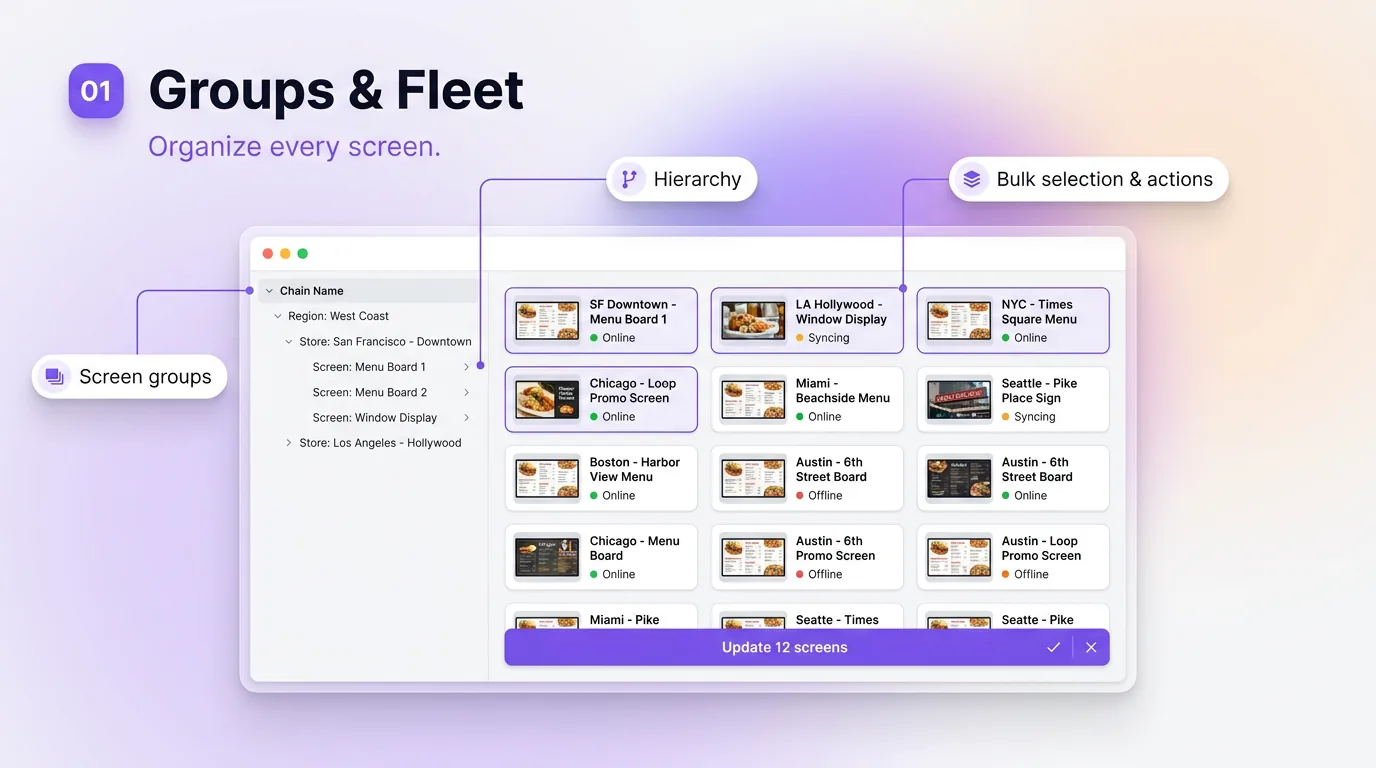
Screen Groups
Update all downtown stores in one click.
02 · Product surface
Scheduling
Daypart, recurring, and one-off schedules.
menupi · scheduling
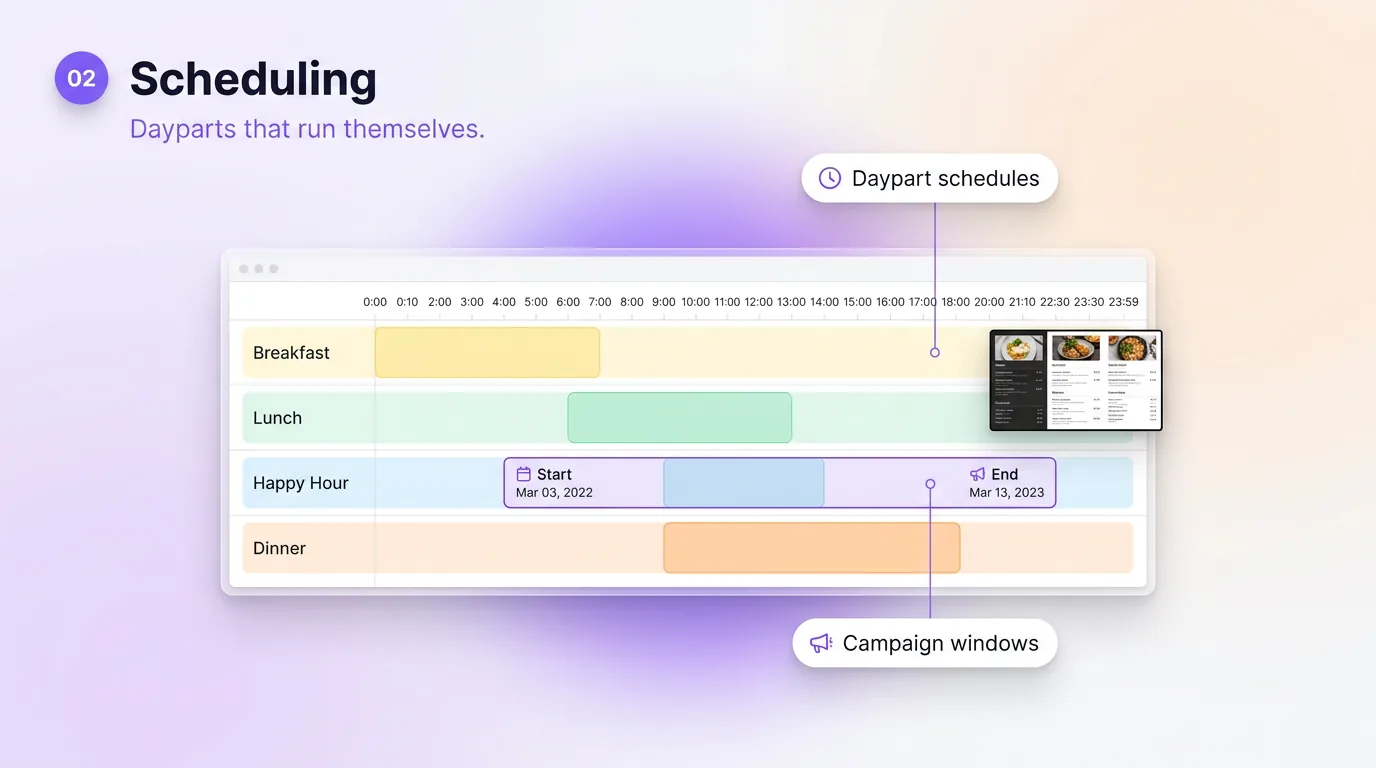
Daypart Schedules
Breakfast at 6am, lunch at 11am, happy hour at 3pm.
Campaign Windows
LTOs with start + end dates. Auto-revert when done.
03 · Product surface
Health Monitoring
Know when a screen drops.
menupi · health monitoring
Health Monitoring
Live Status
Offline Screens
Schematic — see it for real in a demo
Live Status
See online / offline / stale-content state per screen.
Offline Screens
The dashboard shows which screens are offline.
Built to keep playing
Live / Cached
Status per screen
72h
Offline cache window
Runs on the screens you already have
External Players
 Amazon Fire TV
 Android TV
 Raspberry Pi
 Windows
 macOS
macOS Linux
LinuxDisplay Manager FAQs
How many screens can MenuPi Display Manager handle?
Your plan sets the screen count: up to 4 on Starter, 49 on Pro, 999 on Business, and a custom number on Enterprise. All of them are managed from one dashboard.
Can I limit what individual locations can edit?
Partly. Each team member has a role — owner, manager, editor or viewer — that applies to the whole organization. Per-location permissions are not built yet.
How do I know when a screen goes offline?
The dashboard shows which screens are offline.
Is there a mobile app for managing screens?
Not yet. There is no native iOS or Android app.